
Slack Notifications for GitHub: Every Option Compared (2026)
Compare every way to get Slack notifications for GitHub in 2026: the native app, GitHub Actions webhooks, Axolo, and GitNotifier, with honest tradeoffs for each.
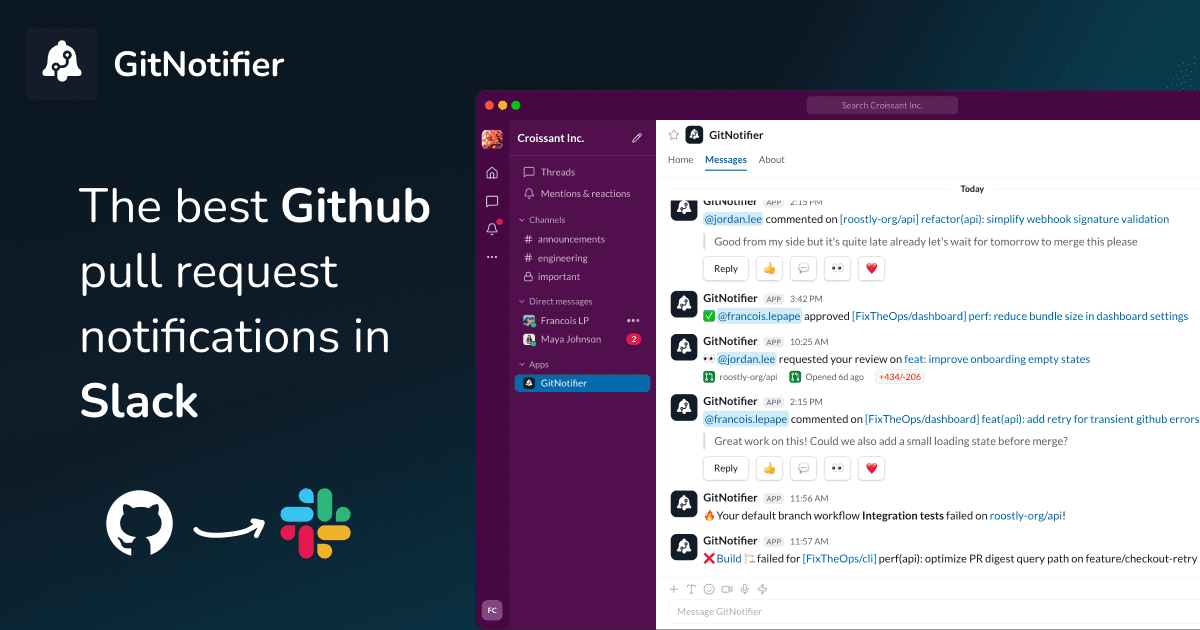
If your team uses Slack, you have probably tried at least one way to get GitHub activity showing up there. And you have probably noticed that "GitHub notifications in Slack" can mean very different things depending on the tool: a channel that floods with every push, a workflow that pings you only when CI goes red, or a personal DM that tells you exactly which PR is waiting on your review.
This guide covers every serious option for getting Slack notifications for GitHub in 2026, with honest tradeoffs for each, so you can pick the one that actually fits your team instead of the one you happened to set up first.
What kind of notifications does your team actually need?
Before picking a tool, it helps to be clear on the use case. GitHub activity in Slack generally falls into three buckets:
- CI and deploy alerts. You want Slack to tell you when a build fails or a deploy goes wrong. This is event-specific, usually low volume, and does not need to cover PR review flows.
- Team-level PR visibility. You want everyone to see what is happening across the codebase: new PRs, review activity, merges. This is best served by a shared channel.
- Personal PR alerts. You want each developer to get notified about the specific events that require their action: their review requests, failed checks on their PRs, comments they need to respond to. This is what most people actually need once the shared-channel approach starts feeling noisy.
Teams usually land on either (2) or (3) depending on their culture, not one after the other. Tools that do (1) well often do (3) poorly, and vice versa. Keep this in mind as you read the options below.
Option 1: the native GitHub Slack app
GitHub ships an official Slack integration through the Slack App Directory. It is the fastest way to get GitHub events into Slack and costs nothing beyond the time to set it up.
How to set it up
- Install the GitHub app from the Slack App Directory and run
/github signinto link your account. - In any channel, subscribe to a repository with
/github subscribe owner/repo. - Narrow the event types with flags, for example
/github subscribe owner/repo pulls reviews.
Where it works well
The native app is good if you want a quick view of what is happening in one repository and you are fine with everyone on the channel seeing it. There is no additional cost, and it works out of the box for teams that just want awareness.
Where it falls short
The volume problem arrives fast. By default, every event goes to the channel: pushes, bot comments, labels, deployments. Even after tuning the flags, a busy repo generates enough noise that developers start ignoring the channel. A review request looks the same as a Dependabot update.
There is also no global configuration. You have to run /github subscribe in every channel for every repository you care about, one at a time. Add a new repo and forget to subscribe it, and your team silently stops hearing about it.
The personal reminders are easy to miss too. They live under GitHub's Scheduled reminders settings rather than anywhere near the channel subscription flow, so most people never find them. Alerting on CI failures is fiddly for the same reason: you have to name every check you want to hear about by hand, since there is no "all checks" option (a long-standing request). Our walkthrough of GitHub scheduled reminders covers both in detail, and our GitHub pull request digest for Slack guide compares the ways to get a daily PR recap.
This is a frequent starting point that many teams move away from once they recognize the pattern: the channel fills up, people mute it, and nobody is actually better informed. See how to stop Slack notification noise if this sounds familiar.
Option 2: GitHub Actions and Slack webhooks
If you mainly want CI and deploy alerts (not PR review notifications), you can wire this up yourself with a Slack incoming webhook and a step in your GitHub Actions workflow. You get full control over when the message fires and what it says.
How it works
- Create a Slack incoming webhook for the channel you want to alert.
- Store the URL as a GitHub Actions secret (do not hardcode it in the workflow file).
- Add a step gated with
if: failure()that posts a message to the webhook.
The slackapi/slack-github-action is the standard choice. We have a full copy-paste example with the right conditions (failure() vs always() and why to avoid the latter) in our post on sending Slack notifications from GitHub Actions.
Where it works well
This is the right choice for specific, event-driven alerts that belong in a shared channel: a failed deploy, a security scan result, a release build completing. You control the message format entirely.
Where it falls short
It only covers what you script by hand. PR review requests, comments, and approval events are not GitHub Actions events in the normal sense, so this approach does not help with review flow notifications. You also have to repeat the webhook setup for every repository and workflow file, and keep secrets in sync across all of them. Miss one and that repo goes silent.
This works well as a complement to a PR notification tool, not a replacement for one.
Option 3: Axolo (shared Slack channels per PR)
Axolo takes a different approach: instead of routing all PR activity to one channel, it creates a dedicated Slack channel for each pull request. The PR author and reviewers are automatically invited to that channel, and all the review activity (comments, approvals, CI results) shows up there.
Where it works well
The per-PR channel model works well for teams that want threaded discussion around a specific PR in Slack. If your review culture involves a lot of back-and-forth and you want that conversation to live in Slack rather than GitHub comments, having a dedicated space for it makes sense.
Where it falls short
Active teams can end up with a lot of Slack channels. A team with 10 open PRs gets 10 extra channels. This creates its own kind of noise: the sidebar fills up with short-lived channels that get archived once the PR merges, and navigating them adds friction.
Axolo is also built as an engineering team management tool, not just a notification layer. The pricing and feature set reflect that scope: code review analytics, cycle time tracking, standup reminders. That is useful for some teams, but if you just want better PR notifications without the full engineering intelligence platform, you are paying for features you will not use.
The per-PR channel model is also showing its age as AI coding agents become common. When agents open and revise PRs at a higher rate than human developers alone, the channel count climbs faster and the signal-to-noise ratio drops further. A model designed for human-paced PR flow does not scale cleanly to agent-assisted codebases.
Axolo's pricing is team-based, which means the cost grows significantly as headcount increases. For larger teams, this is worth comparing against per-developer alternatives. See our GitNotifier vs Axolo comparison for a side-by-side on pricing and workflow.
Option 4: GitNotifier (personal Slack DMs per developer)
GitNotifier takes the opposite approach from shared channels. Instead of routing activity to a channel, it sends each developer a personal Slack DM with the events they need to act on: their review requests, failed checks on their PRs, comments they need to answer, approvals that unblock a merge.
How it works
Setup is a one-time process: install one GitHub App and one Slack App, and the whole team starts receiving Slack pull request notifications across every repository immediately, with no YAML to write and no per-repo configuration to maintain.
- Review requests go directly to the reviewer as a Slack DM, not to a shared channel.
- Failed checks and deploy issues reach the PR author before anyone has to ask what is blocked.
- Bot comments are filtered out by default, so only human activity and meaningful automated signals come through.
- You can reply to comments, react, and mute a PR directly from Slack without opening GitHub.
Where it works well
This is the strongest fit for small to mid-sized engineering teams (roughly 5 to 50 developers) where individuals need to know about their own PRs, not the whole team's activity at once. The DM model means fewer notifications per person, but higher signal on each one. Teams that use GitNotifier typically stop relying on the GitHub notifications tab entirely.
It also requires no ongoing maintenance. Add a new repository to your GitHub organization and it is covered automatically. No new webhook, no new YAML step, no new channel subscription.
This model is especially well-suited for the current wave of AI-assisted development, where agents routinely open, revise, and request reviews on PRs. With a good CODEOWNERS or reviewer-assignment setup, agents tag exactly the right reviewers, so each developer receives a targeted DM rather than a channel flooding with agent activity. The higher PR volume actually makes the DM model more valuable, not less.
Where it falls short
GitNotifier does not create a shared channel view of all PR activity. If your team has a specific process that depends on everyone seeing a live feed of new PRs and merges in one channel (a visibility dashboard, a #team-prs channel), you would need the native GitHub app or a similar tool alongside it for that purpose.
See how the GitHub Slack integration for code reviews works in practice, or how teams reduce PR review time with Slack alerts using the DM-first approach.
Option 5: other tools
A few other tools are worth knowing about if none of the above fit your situation.
PullNotifier sends Slack notifications for pull request events and supports some filtering by team. It is less feature-rich than Axolo or GitNotifier but has a simpler setup for teams that only want basic PR alerts.
CodeKickBot focuses on round-robin review assignment and sends notifications as part of that workflow. It is more useful if the problem you are solving is review distribution rather than notification quality.
PullFlow routes GitHub PR notifications into Slack with per-event filtering and supports routing to both shared channels and individual DMs. It is a middle-ground option for teams that want something more configurable than the native GitHub app without the full scope of Axolo or GitNotifier.
The native GitHub Actions Slack actions (like action-slack and rtCamp/action-slack-notify) are open-source options for CI-level webhooks if you want something slightly more opinionated than the official slackapi action.
Side-by-side comparison
| Tool | Setup | PR reviews and comments | CI alerts | Delivery | Cost |
|---|---|---|---|---|---|
| Native GitHub app | Per repo, per channel | Yes, channel-wide | Yes | Shared channel | Free |
| GitHub Actions webhooks | Per repo, per workflow | No | Yes, full control | Shared channel | Free |
| Axolo | One-time | Yes | Yes | Per-PR channel | Freemium, then $8.30/seat/mo |
| GitNotifier | One-time | Yes | Yes (in DMs) | Personal DM | Freemium, then flat team pricing |
| PullFlow | Per-event config | Yes | Partial | Channel or DM | Freemium, then $5/user/mo |
| PullNotifier | Simple | Basic | No | Shared channel | Freemium, then $29/mo flat |
| CodeKickBot | Per-team | Basic (via assignment) | No | Shared channel | Free |
Which one should you use?
The right answer depends on your specific situation.
If you only need CI and deploy alerts, start with GitHub Actions and a Slack incoming webhook. It is free, you control everything, and it is the right tool for that job. See how to set it up with the right conditions.
If you want full-team visibility into all PR activity and your team is comfortable with per-PR Slack channels, Axolo is the strongest option for that model. Expect the channel count to grow with your PR volume.
If your main problem is that review requests get missed, comments sit unanswered, and the shared GitHub or Slack channels have become background noise, GitNotifier is built for that. Each developer gets only the events that require their action, as a DM, across every repository in your organization. No YAML, no per-repo setup. The GitHub PR notifications in Slack page walks through what this looks like in practice.
For a full breakdown of the available apps, see our roundup of the best GitHub Slack apps for PR notifications.
Get the GitHub notifications your team will actually read
Skip the channel spam and the per-repo YAML. GitNotifier sends each developer the GitHub events they need to act on, right in Slack, so review requests and failed checks stop slipping through.
Read more
View all articlesHow to Get GitHub Notifications in Slack (3 Ways)
Learn how to get GitHub notifications in Slack three ways: the native GitHub Slack app, GitHub Actions webhooks, and personal PR alerts with GitNotifier.
GitHub Pull Request Digest for Slack: A Daily PR Recap That Covers Every Repo
Get a daily GitHub pull request digest in Slack: one scheduled recap of every PR waiting on your review across all your repositories, not just five.
GitHub Notifications Are Broken for Small Teams (Here's the Fix)
GitHub notifications create fatigue for small teams. Learn how personal Slack alerts help developers catch reviews, failed builds, and deploy issues faster.