
How to Get GitHub Notifications in Slack (3 Ways)
Learn how to get GitHub notifications in Slack three ways: the native GitHub Slack app, GitHub Actions webhooks, and personal PR alerts with GitNotifier.
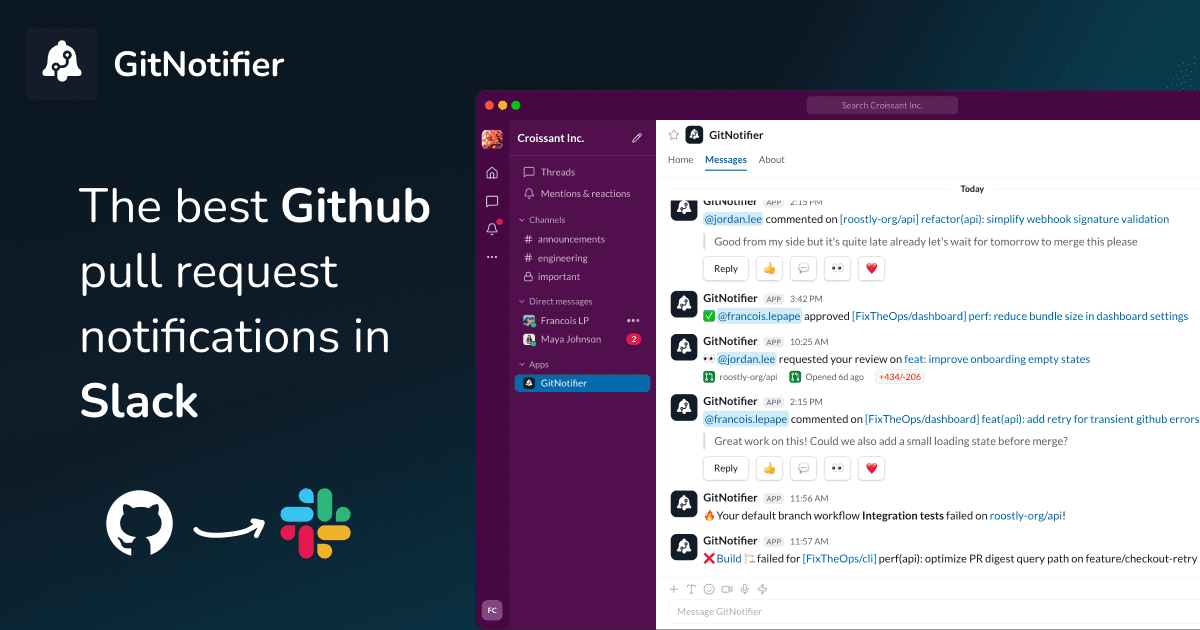
If your team lives in Slack, you should not have to keep flipping back to the GitHub notifications tab to find out a pull request needs a review or a build went red. Good news: there are three solid ways to get GitHub notifications into Slack, from a one-click official integration all the way to fully personal PR alerts.
Below I will walk through all three, when each one makes sense, and how to dodge the classic mistake of turning Slack into just another inbox nobody looks at. Already sold on high-signal, per-developer alerts? Jump straight to GitHub PR notifications in Slack. For a wider comparison that also covers Axolo and other tools, see every Slack notification option for GitHub compared.
Method 1: the native GitHub Slack app
GitHub ships an official Slack app, and it is the quickest way to connect the two. If you just want a channel to light up when things happen in a repo, this is where most teams start.
- Install the GitHub app from the Slack App Directory and run
/github signinto authenticate. - In any channel, subscribe to a repository with
/github subscribe owner/repo. - Trim the noise a bit with flags, for example
/github subscribe owner/repo pulls,reviews.
It is great if you want a quick GitHub Slack integration and you are fine with activity showing up in shared channels.
The catch is that it gets spammy fast. By default you get all the activity, including the events that do not matter to anyone, and it all lands in one channel mixed together. A review request looks the same as a bot comment, and everyone still has to scan the feed to figure out what is actually theirs. That scanning is exactly what turns into Slack notification noise.
It is also fiddly to keep tidy. There is no global setup, so you have to run /github subscribe and tune the flags in every single repo you care about, one at a time. Miss one and you silently stop hearing about it.
Its personal reminders are hard to find, too. They sit under GitHub's Scheduled reminders settings, nowhere near the channel setup, so most people never realize they exist. And to hear about CI failures you have to list every check by name yourself, since there is no "all checks" option (a long-standing request). The GitHub scheduled reminders guide walks through both, and the GitHub pull request digest for Slack guide covers getting one daily recap across every repository.
Method 2: GitHub Actions and webhooks
Maybe you do not want a firehose. You just want Slack to ping you when something specific happens, like a CI run going red. In that case you can wire it up yourself with a Slack incoming webhook and a step in your GitHub Actions workflow. You get full control over the message and exactly when it fires.
- Create a Slack incoming webhook for the channel you want to post to.
- Store the URL as a GitHub Actions secret (please do not hardcode it in the workflow file).
- Add a step that posts to Slack, gated with
if: failure()so you only hear about the runs that matter.
We wrote a full walkthrough with a copy-paste workflow over here: send Slack notifications from GitHub Actions (CI failures only).
This is the right call for custom, event-specific alerts like deploys or CI failures. The downside is that it is all manual. You end up repeating the setup for every repo and workflow, juggling secrets in each one, and it only covers the events you script by hand, so pull request reviews and comments are still on you.
Method 3: personal PR alerts with GitNotifier
The first two methods either dump everything into a shared channel or leave you writing one-off scripts. GitNotifier flips that around. Instead of a channel firehose, it sends each developer the events they actually need to act on as a personal Slack DM.
- Review requests go straight to the reviewer.
- Failed checks and deploy issues reach the author fast.
- You can react to comments and reply right from Slack, without opening GitHub.
- The stuff that does not need you stays out of the way.
There is nothing to configure per repo. You connect one GitHub App and one Slack App, and the whole team starts getting Slack pull request notifications across every repository, with no YAML or webhook wiring to babysit. It is how teams reduce PR review time with Slack alerts.
If you want per-developer PR notifications that people actually read instead of tuning out, this is the one. See how the GitHub Slack integration for code reviews works in practice.
Which method should you use?
Honestly, it depends on what you are after. Here is the quick version:
| Method | Setup effort | Covers PR reviews & comments | Noise level |
|---|---|---|---|
| Native GitHub Slack app | Low | Yes, but channel-wide | High |
| GitHub Actions / webhooks | High, per repo | Only what you script | Low, if scoped well |
| GitNotifier | Low, once | Yes, personal DMs | Low |
If you want to go deeper before you commit to one, we compared the options side by side in our rundown of the best GitHub Slack apps for PR notifications.
Get GitHub notifications in Slack without the noise
Skip the channel spam and the per-repo YAML. GitNotifier sends each developer the GitHub events they need to act on, right in Slack, so review requests and failed checks stop slipping through the cracks.
Read more
View all articlesSlack Notifications for GitHub: Every Option Compared (2026)
Compare every way to get Slack notifications for GitHub in 2026: the native app, GitHub Actions webhooks, Axolo, and GitNotifier, with honest tradeoffs for each.
GitHub Notifications Are Broken for Small Teams (Here's the Fix)
GitHub notifications create fatigue for small teams. Learn how personal Slack alerts help developers catch reviews, failed builds, and deploy issues faster.
GitHub Pull Request Digest for Slack: A Daily PR Recap That Covers Every Repo
Get a daily GitHub pull request digest in Slack: one scheduled recap of every PR waiting on your review across all your repositories, not just five.