
How to Set Up GitHub Scheduled Reminders (and Where They Fall Short)
Set up GitHub scheduled reminders for pull request reviews in Slack, personal and team, then see the five-repo limit and a better daily digest.
Pull requests sit because nobody is nudged. A review request lands in the GitHub inbox, the reviewer never opens that tab, and the PR waits until someone asks about it in standup.
GitHub ships a built-in fix for this called scheduled reminders. It posts a summary of open pull requests to Slack at times you pick. It is easy to miss, and it comes with a few constraints worth knowing before you rely on it. This post shows how to turn it on for yourself and your team, then where those constraints show up.
What GitHub scheduled reminders are
Scheduled reminders send a Slack message at set times listing open pull requests that need attention. There are two kinds: personal reminders for review requests assigned to you, and team reminders for pull requests a team was asked to review.
Both run through Slack, so an organization owner has to authorize the Slack workspace before anyone can create a reminder. Once that is done, each person configures their own schedule.
Set up a personal reminder
The personal version lives in your account settings, not in any repository:
- Click your profile picture in the upper-right corner, then Settings.
- In the sidebar under Integrations, click Scheduled reminders.
- Click the pencil icon next to the organization you want reminders for.
- Under Slack workspace, click Authorize Slack workspace and finish the flow.
- Pick your Days (the
Weekdaysdropdown) and Times (the9:00 AMdropdown, with an optional timezone). - Check
Review requests assigned to youand, if you want,Review requests assigned to your team. - Click Create reminder.
There is a megaphone icon that fires a test reminder, so you can confirm the Slack message arrives before you trust it.
Set up a team reminder
Team reminders are the more useful version for shipping work, and they sit several levels deep in team settings. You need to be a team maintainer or organization owner to reach them.
Profile menu → Organizations → [org name] → Teams → [team name] → Settings (gear) → Scheduled reminders → Add your first reminderThe repository view and the main organization page do not point here. The path runs through a specific team's Settings tab, so it is easy to miss if you do not already know where to look.
The team screen does expose real filtering: minimum age and staleness in hours, ignored and required labels, exclude draft pull requests, ignore approved pull requests, and remind authors after reviews are fulfilled. It is a capable feature; the path to it is just not obvious.
The five-repository limit
This is the main constraint to plan around. From GitHub's docs:
Each reminder is only triggered for up to five repositories. Users can either select up to five specific repositories, or allow the system to automatically choose the five repositories with the oldest average pull request age. For each repository, up to 20 of the oldest pull requests will be shown.
Five repos per reminder, 20 pull requests per repo. The cap is per reminder configuration and per repository owner, so the moment your work spans more than five repositories you are creating and maintaining several reminder configs by hand.
Real-time alerts live on the same page
The scheduled reminders page also hosts a section called Enable real-time alerts for pull requests. These fire immediately when an event happens: a review is requested, someone comments, you are mentioned, a pull request merges, or a check fails. They are not scheduled at all, so it is easy to miss that a page titled "Scheduled reminders" is where you turn immediate alerts on and off.
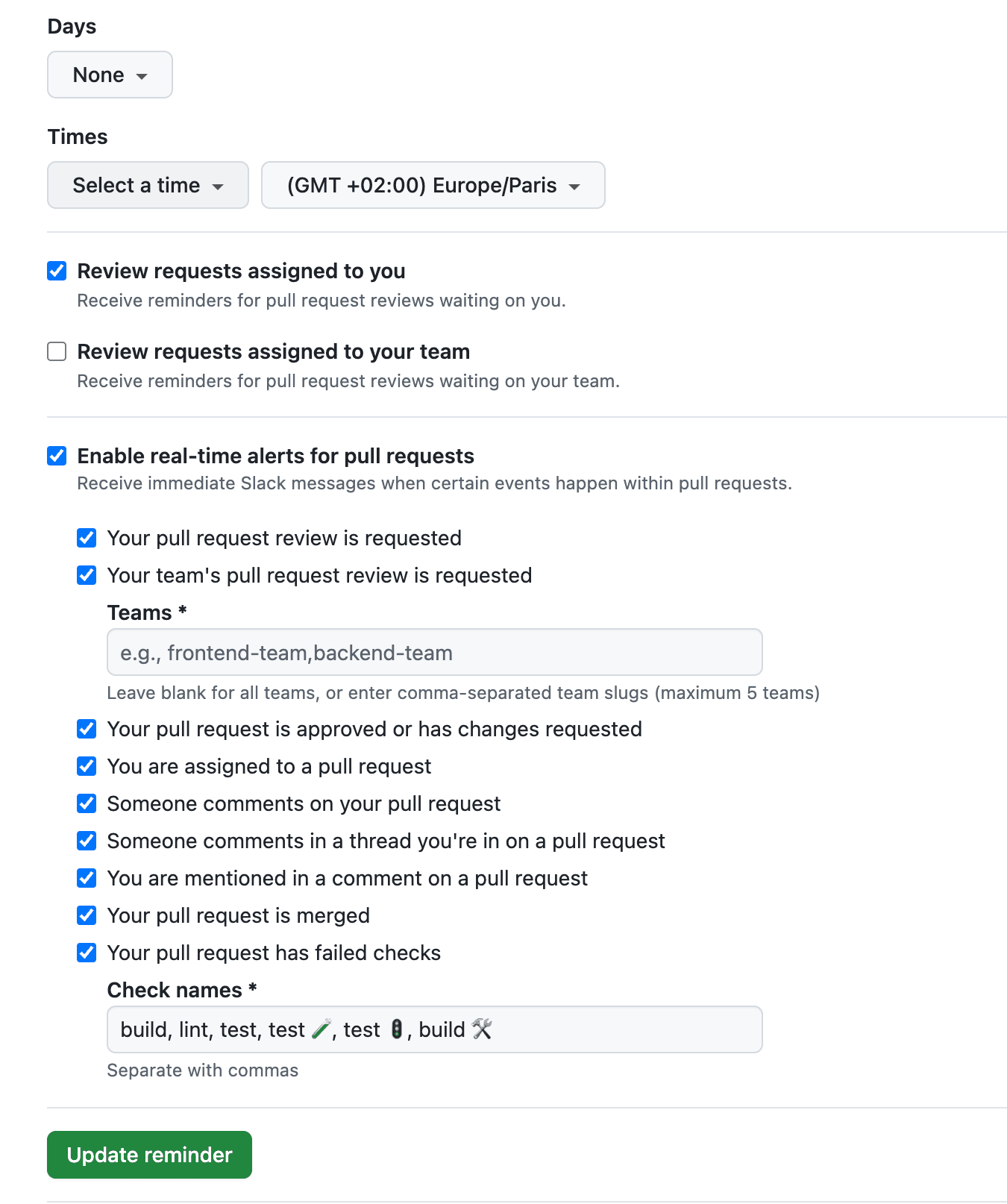
The failed checks alert is worth calling out. You have to list each check by name, comma separated, such as build, lint, test. There is no "all checks" option, so a new CI job stays silent until someone adds its name here by hand. This is a long-standing request in GitHub's community discussions.
Where GitHub's reminders fall short
The model is repository-first, but reviewers think person-first. You care about every PR assigned to you or waiting on your review, wherever it lives. GitHub makes you enumerate repositories instead.
- The five-repo cap forces you to juggle multiple reminder configurations.
- The auto-select mode picks repos by oldest average PR age, which is not the same as "the repos I actually review."
- The team version lives deep in team settings, so it is easy to miss.
- There is no single "everything waiting on me across all repos" digest.
- Real-time alerts share the "Scheduled reminders" page, which mixes immediate and scheduled notifications in one confusingly named place.
- Failed-check alerts need each check named individually; there is no "all checks" catch-all.
If you already feel this pain, it is the same reason teams look at Slack pull request notifications that are built around a person instead of a repository list.
GitNotifier's PR Review Digest
GitNotifier sends the same kind of scheduled Slack digest, but it queries by person, not by repository. It pulls everything assigned to you (assignee:@me) and everything requesting your review (review-requested:@me) across every repository you can see. There is no five-repo cap to work around. If you are comparing approaches, our GitHub pull request digest for Slack guide weighs the native reminder against Zapier and a person-centric digest side by side.
The digest header reads ⏰ Your PR Review Digest and adds the parts GitHub leaves out:
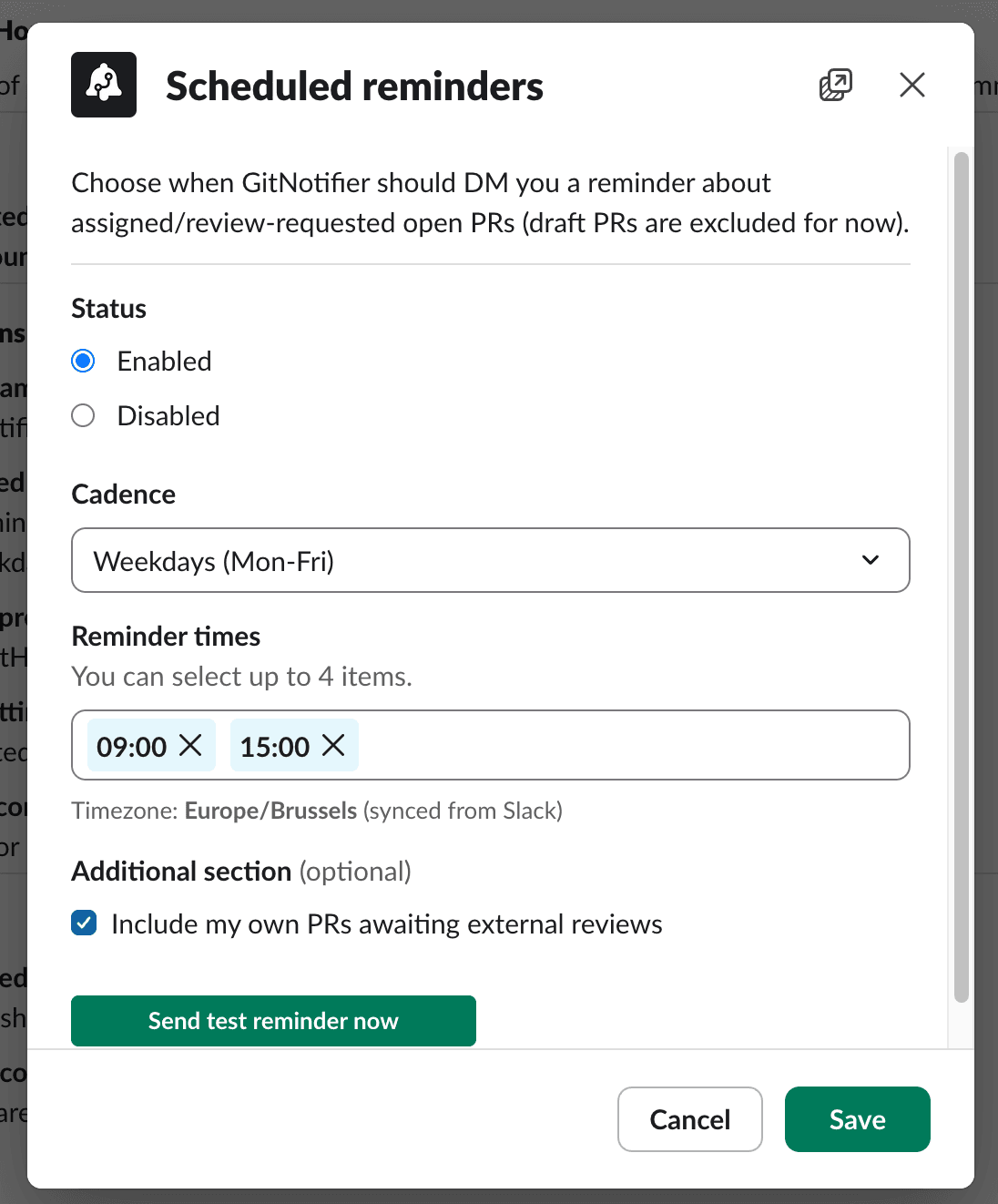
- Up to four reminder times per day, with daily, weekdays, or weekly-Monday cadence.
- Stale flagging: pull requests with no activity for 24 hours are marked so you see what is rotting.
- Draft exclusion by default, so work-in-progress does not clutter the list.
- Author mentions: PR authors who are also in your Slack workspace get an @-mention, so nudges reach a real person.
- An inline Merge button for pull requests that are clean and mergeable.
- An optional section for your own PRs awaiting external review, so you can chase reviewers too.
Setup is a Slack modal, not a five-level menu dive. Open the GitNotifier App Home, click Configure reminders, pick your cadence and up to four times, and send a test. Your timezone is synced from your Slack profile automatically. Full steps are in the GitHub PR notifications for Slack guide.
If you want to weigh every option first, our guide to every Slack notification option for GitHub covers the full landscape, and reducing Slack notification noise covers the day-to-day alerts around the digest.
Frequently asked questions
Does GitHub have scheduled reminders?
Yes. GitHub has a built-in scheduled reminder that posts a summary of open pull requests to Slack at times you pick. There are personal reminders for review requests assigned to you and team reminders for pull requests a team was asked to review.
Can I get GitHub reminders in Slack?
Yes. Scheduled reminders run through Slack, so an organization owner authorizes the Slack workspace once, then each person configures their own schedule under Settings, Integrations, Scheduled reminders.
Why are GitHub scheduled reminders limited to five repositories?
Each reminder is triggered for up to five repositories, either five you select or the five with the oldest average pull request age, showing up to 20 pull requests per repository. Once your work spans more than five repositories you have to create and maintain several reminder configurations by hand.
How do I get a pull request digest across all my repositories?
GitHub's reminders are repository-first and capped at five repos. GitNotifier sends a person-centric PR Review Digest that covers every repository you can see, up to four times a day, from a single Slack setup, with no five-repo cap.
Get a digest that covers all your repos
GitHub's scheduled reminders are worth knowing, but the five-repo cap and the buried team settings hold them back. GitNotifier gives you one person-centric PR digest across every repository, up to four times a day, from a single Slack setup.
Read more
View all articlesGitHub Pull Request Digest for Slack: A Daily PR Recap That Covers Every Repo
Get a daily GitHub pull request digest in Slack: one scheduled recap of every PR waiting on your review across all your repositories, not just five.
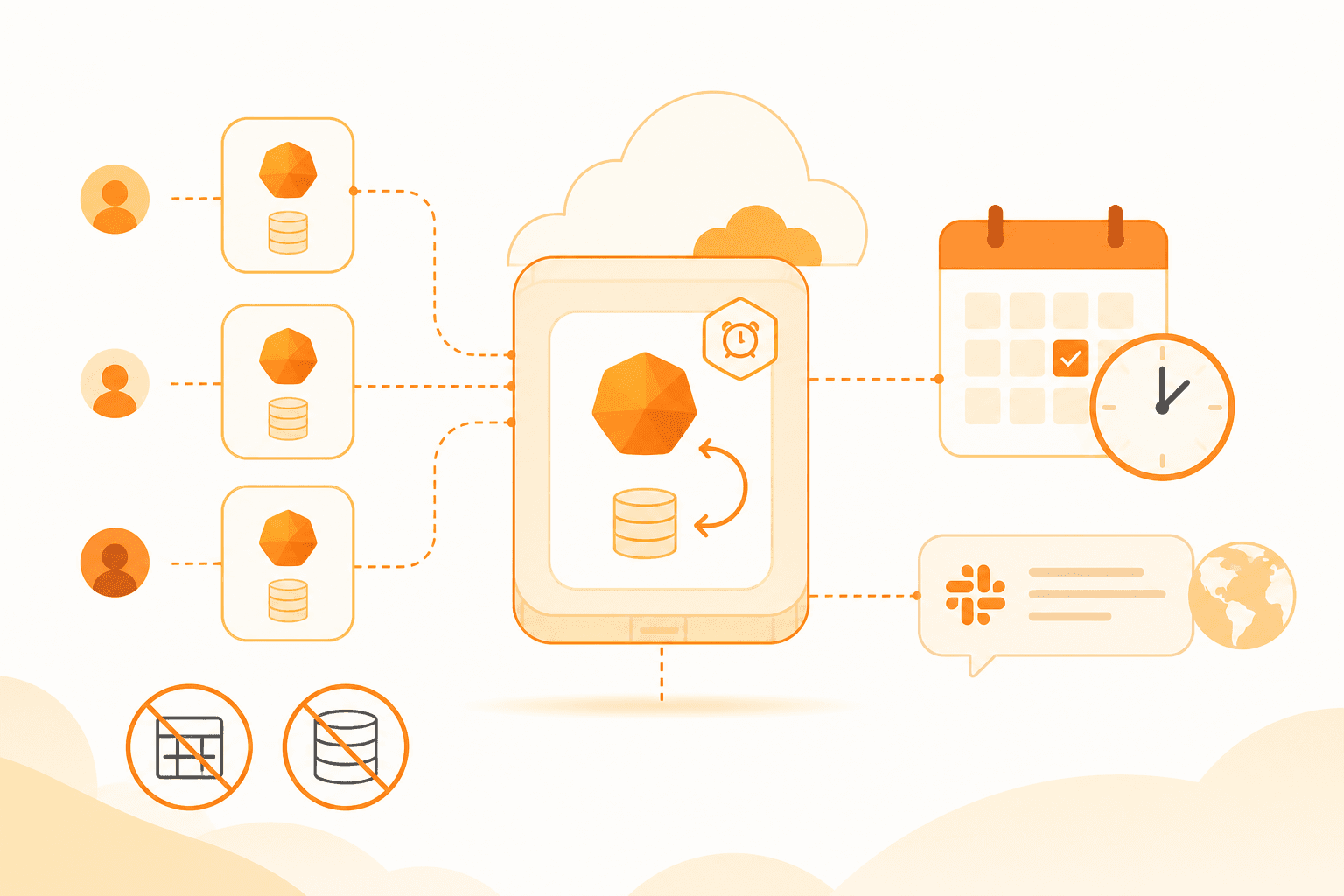
How to schedule weekly tips with Cloudflare Durable Objects and alarms
A per-user Durable Object with a self-rescheduling alarm sends every GitNotifier user one Slack tip every Tuesday at noon in their own timezone. No cron, no user-table scan.
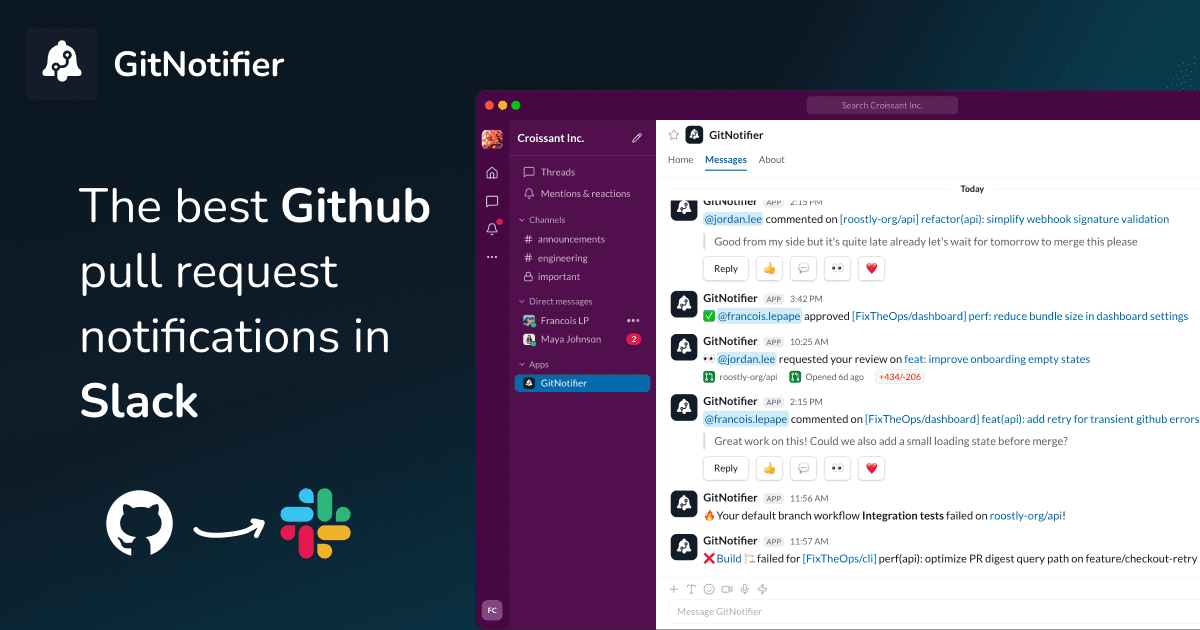
Slack Notifications for GitHub: Every Option Compared (2026)
Compare every way to get Slack notifications for GitHub in 2026: the native app, GitHub Actions webhooks, Axolo, and GitNotifier, with honest tradeoffs for each.