
How to schedule weekly tips with Cloudflare Durable Objects and alarms
A per-user Durable Object with a self-rescheduling alarm sends every GitNotifier user one Slack tip every Tuesday at noon in their own timezone. No cron, no user-table scan.
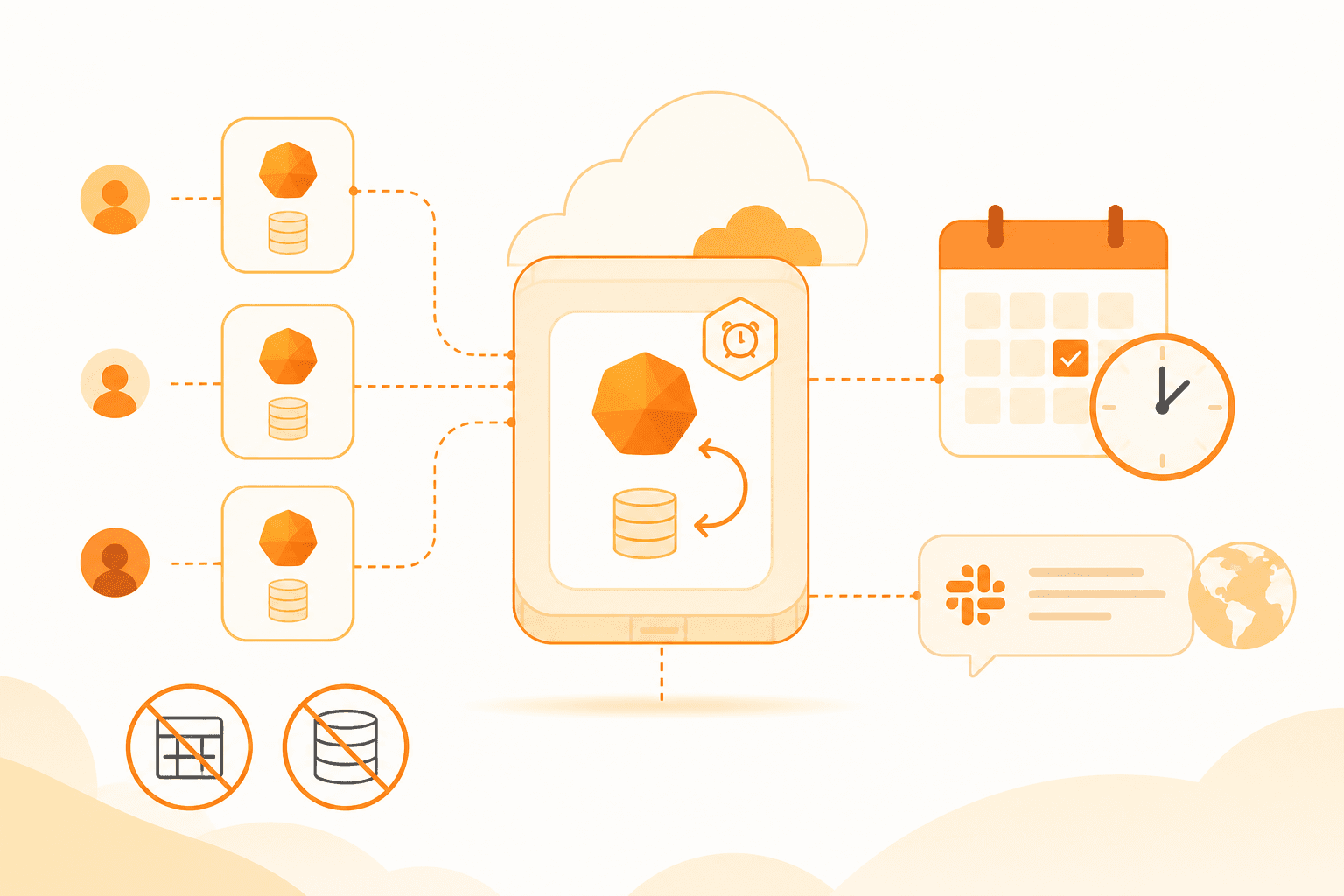
Here is the job: send every user one product tip every Tuesday at noon, in their own timezone, over Slack. The obvious approach is a weekly cron that reads the whole user table, works out each person's local noon, and fans out messages. That job gets heavier every time you add a user, and it has to be perfectly correct or someone silently misses their tip.
On Cloudflare there is a smaller answer. Give each user a tiny stateful object that knows how to wake itself up. GitNotifier's weekly tips run this way: one Durable Object per user, a single alarm, and no cron trigger anywhere in the codebase.
The Cloudflare building blocks
Four primitives do all the work here.
- Workers are stateless request handlers running at the edge. They are great at handling a request and forgetting it, and bad at remembering that a specific user is due a message next Tuesday.
- Durable Objects (aka DOs) fill that gap. Each one is a single addressable instance with private storage and single-threaded execution. There is exactly one instance per id, so it is the natural home for "everything about this one user." To learn more, read this comprehensive blog post from Boris Tane.
- Alarms are the scheduler. Calling
storage.setAlarm(timestamp)tells the platform to invoke this object'salarm()method at that time. That single call is the entire cron replacement. - Storage comes in two flavors. A transactional key-value API (
storage.get/storage.put) is always available. SQLite (storage.sql) is available on SQLite-backed classes when you need to query relational state.
A Worker never talks to a Durable Object directly. It looks up a stub by id and calls it:
  HTTP request
        │
        ▼
  ┌───────────┐   getByName("team:user")   ┌──────────────────────┐
  │  Worker   │ ─────────────────────────► │  Durable Object      │
  └───────────┘                            │   • private storage  │
                                           │   • alarm()          │
                                           └──────────────────────┘
Why one object per user beats a cron
A weekly cron is one big job with a growing blast radius. It queries every user, resolves every timezone, batches the sends, and has to survive partial failures without skipping or double-sending anyone. At a thousand users it is a batch problem. At a hundred thousand it is a batch problem with a runtime budget.
A per-user Durable Object flips the shape. Each user gets an object addressed by name, built from their workspace and user id, so the id is stable and you never store a mapping:
const stub = env.WEEKLY_TIPS_DO.getByName(`${teamId}:${userId}`);
await stub.arm(userTimezone);
Now scheduling is constant work per user. Arming one user touches one object. A failure in one user's send cannot stall anyone else's. There is no table scan, because there is no table to scan.
Setting one up: the arm step
A Durable Object is a class, a binding, and a migration. The binding names the class, and the migration registers it. New classes that want SQLite storage go in new_sqlite_classes:
// wrangler.jsonc
"durable_objects": {
  "bindings": [{ "name": "WEEKLY_TIPS_DO", "class_name": "WeeklyTipsDO" }]
},
"migrations": [
  { "tag": "v1", "new_sqlite_classes": ["WeeklyTipsDO"] }
]
The class exposes an arm method that stores the schedule and sets the first alarm. Make it idempotent: an object only ever has one pending alarm, so the thing to protect is the state. If it is already armed for the same timezone, return early instead of rewriting it, so a user reconnecting Slack does not reset the rotation cursor the object has already advanced.
The arm name and its single timezone argument are simplified for the walkthrough. GitNotifier's real method carries the Slack team and user ids too so the object knows who to message when the alarm fires.
export class WeeklyTipsDO extends DurableObject<Env> {
  async arm(timezone: string) {
    const existing = await this.ctx.storage.get<State>('state');
    if (existing?.enabled && existing.timezone === timezone) return;

    await this.ctx.storage.put('state', {
      enabled: true,
      timezone,
      lastTipIndex: existing?.lastTipIndex ?? 0, // keep the rotation cursor
    });
    await this.ctx.storage.setAlarm(nextTuesdayNoon(timezone));
  }
}
You never construct or destroy the object yourself. Calling getByName and invoking a method brings it to life on demand, and it goes idle when it has nothing scheduled.
The alarm that reschedules itself
Recurring cadence is not a special feature. It is an alarm() handler that sets its next alarm before it returns. Fire, send the tip, arm next week, done.
async alarm() {
  const state = await this.ctx.storage.get<State>('state');
  if (!state?.enabled) return;

  const tip = pickNextTip(state.lastTipIndex);
  await sendSlackTip(state, tip); // happy path; see "retries" below for the try/catch

  await this.ctx.storage.put('state', { ...state, lastTipIndex: tip.nextIndex });
  await this.ctx.storage.setAlarm(nextTuesdayNoon(state.timezone)); // re-arm
}
The loop is entirely self-contained. No external ticker pokes it:
  setAlarm(next Tuesday noon)
        │
        ▼
   ┌─────────┐
   │ alarm() │  ◄─────────────┐
   └─────────┘                │
        ├─ send Slack tip      │
        └─ setAlarm(+1 week) ──┘
Disabling is the mirror image: clear the alarm and wipe the object's storage, and the loop stops for good.
A single KV key is enough here
The class is registered as SQLite-backed, but the code never touches storage.sql. All the state fits in one record: whether tips are enabled, the timezone, which tip is next, and when each tip last went out. So it lives under a single key and gets read and written whole.
await this.ctx.storage.put('state', {
  enabled: true,
  timezone: 'Europe/Paris',
  lastTipIndex: 3,
  tipSentDates: { 'mute-pr': '2026-07-21T10:00:00Z' },
});
Notice what is not here: there is no central tips_shown table with a (user_id, tip_id, sent_at) row for every send, and no join to work out what each user has already seen. Each user's object owns that history. The rotation cursor and the sent timestamps live inside that one user's storage, right next to the alarm that uses them. Which tip a user saw last week is a fact about that user, so it lives in that user's object and nowhere else.
That encapsulation is the point. A shared table would grow one row per user per week, need an index to answer "what did this user see," and turn a per-user decision into a query against everyone's data. Here the object already has the answer in its own storage when alarm() fires, no lookup across other users' data. Deleting a user is a single storage.deleteAll(), not a cleanup job across shared tables.
SQLite earns its place when the shape stops being one blob. Reach for it when an object holds many rows, or you need to query, filter, aggregate, index, or page through history. A booking object with hundreds of slots wants a table. A per-user tip schedule wants one key.
Two details that bite: timezones and retries
"Tuesday at noon" is a wall-clock time, not a UTC offset, and the offset shifts twice a year with daylight saving. Instead of doing offset math, ask the formatter what the local time is at each candidate and stop when weekday, hour, and minute all line up:
function nextTuesdayNoon(timezone: string, from = new Date()): number {
  const fmt = new Intl.DateTimeFormat('en-US', {
    timeZone: timezone, weekday: 'short', hour: '2-digit', minute: '2-digit', hour12: false,
  });
  for (let m = 1; m <= 14 * 24 * 60; m++) {
    const candidate = new Date(from.getTime() + m * 60_000);
    const parts = fmt.formatToParts(candidate);
    const wd = parts.find((p) => p.type === 'weekday')?.value;
    const hr = Number(parts.find((p) => p.type === 'hour')?.value);
    const min = Number(parts.find((p) => p.type === 'minute')?.value);
    if (wd === 'Tue' && hr === 12 && min === 0) return candidate.getTime();
  }
  throw new Error('no match');
}
The minute-by-minute walk looks brute-force, but it runs at most a couple of weeks of iterations once per week per user, and it sidesteps every offset and daylight saving edge case that hand-rolled date math gets wrong.
Delivery can fail too, and the happy-path handler above has a gap: if sendSlackTip throws, the re-arm on the last line never runs and the loop stops for good. So wrap the send in a try/catch. If Slack is briefly unreachable, do not drop the whole week: re-arm a short backoff alarm (exponential with jitter, capped at a handful of attempts) instead of the weekly slot. Only advance the tip rotation once a message actually goes out, so a retry never burns a tip. The alarm mechanism gives you the scheduling for free; you just decide whether the next wake-up is in five minutes or seven days.
What about a cron Worker or a Workflow?
Alarms were not the default choice; they were the one left standing. Cloudflare gives you two other ways to run code on a schedule, and both were on the table before the weekly tips shipped. Each is the right tool for a different shape of problem, and for "one recurring nudge per user" neither fit as cleanly as an alarm. Here is why each was ruled out.
A cron Worker with scheduled()
A Worker cron trigger fires one global handler on a fixed schedule. It is stateless, so the handler has to load every eligible user, decide who is due, and fan the sends out itself:
// wrangler.jsonc: "triggers": { "crons": ["*/15 * * * *"] }
export default {
  async scheduled(event: ScheduledController, env: Env) {
    // One global handler. You own the fan-out.
    const users = await env.DB
      .prepare('select id, timezone from users where tips_enabled')
      .all();
    for (const user of users.results) {
      if (isLocalNoonTuesday(user.timezone)) {
        await sendTip(env, user); // no per-user retry, no per-user cursor
      }
    }
  },
};
The schedule is a single UTC cron expression, so "noon in each user's timezone" means running every 15 minutes and filtering, or precomputing offsets. One invocation now carries everyone, so at scale you are batching against the Worker CPU and duration limits and probably handing work to a queue. And the handler owns all the state that an alarm-backed object keeps for itself: who already got this week's tip, which tip is next, and what to retry. A cron is great for a coarse global sweep. It is a poor fit for per-entity timing.
A Cloudflare Workflow
Workflows run durable, multi-step code with automatic per-step retries and long step.sleep / step.sleepUntil waits. You can express the tip as a workflow that sleeps until Tuesday, sends, and hands off to the next instance:
export class WeeklyTipsWorkflow extends WorkflowEntrypoint<Env, Params> {
  async run(event: WorkflowEvent<Params>, step: WorkflowStep) {
    // Each step is durable and retried automatically.
    await step.sleepUntil('next-tuesday', nextTuesdayNoon(event.payload.timezone));
    await step.do('send-tip', () => sendTip(event.payload));
    // ...then dispatch a fresh instance for next week.
  }
}
That works, and the durable retries are genuinely nice. But Workflows are built for finite multi-step pipelines, not an unbounded weekly heartbeat, and you still need one instance per user plus something to keep re-dispatching them. Where a Workflow earns its place is the fan-out itself: a single workflow that reads every user and dispatches each send as a retried step, which is a real alternative to the cron handler above. For a self-contained per-user cadence, the alarm is less machinery: the object that holds the schedule is the same object that fires it.
Frequently asked questions
What is a Cloudflare Durable Object?
A Durable Object is a single addressable instance with its own private storage and single-threaded execution. There is exactly one instance per id, so it is the natural place to keep per-entity state and coordinate work for that entity, such as one user, one room, or one document.
Why use Durable Object alarms instead of a cron trigger?
A cron trigger runs one job on a fixed schedule, so a weekly reminder means scanning every user, computing each timezone, and fanning out from a single handler that must not miss anyone. A Durable Object alarm lets each user own a tiny object that wakes itself up at the right minute, so scheduling is constant work per user and stays isolated as you grow.
When do you need SQLite in a Durable Object instead of KV storage?
Use the key-value storage API when the object holds one small record you read and write whole. Reach for SQLite storage when you need many rows per object, queries, filtering, aggregation, indexes, or history you page through. The weekly tips object keeps a single state blob, so KV is enough even though the class is SQLite-backed.
How do you send a weekly message at the same local time across timezones?
Compute the next fire time in the user timezone with Intl.DateTimeFormat rather than raw UTC arithmetic. Step forward in time and stop at the first candidate whose weekday, hour, and minute match the target in that zone, then convert to an epoch timestamp for setAlarm. This handles daylight saving changes without offset math.
Should I use a Durable Object alarm, a cron Worker, or a Workflow?
Use a cron Worker with scheduled() for one coarse global job that runs on a fixed schedule and fans work out itself. Use a Cloudflare Workflow for a durable multi-step pipeline that must retry each step and not lose progress. Use a Durable Object alarm when each entity keeps its own state and its own clock, such as one recurring reminder per user, so the object that holds the schedule is the one that fires it.
That's how GitNotifier dispatches tips
Weekly tips, scheduled PR digests, and reminders all lean on Durable Objects and alarms so you get the right Slack message at the right time, without a cron job scanning everyone. See it from the other side: connect GitHub to Slack and get high-signal notifications the same day. If you use GitHub and Slack, give it a try.
Curious how the rest fits together? Read how we build a GitHub PR digest for Slack.
Read more
View all articlesHow to Set Up GitHub Scheduled Reminders (and Where They Fall Short)
Set up GitHub scheduled reminders for pull request reviews in Slack, personal and team, then see the five-repo limit and a better daily digest.
GitHub Pull Request Digest for Slack: A Daily PR Recap That Covers Every Repo
Get a daily GitHub pull request digest in Slack: one scheduled recap of every PR waiting on your review across all your repositories, not just five.
Slack Notifications for GitHub: Every Option Compared (2026)
Compare every way to get Slack notifications for GitHub in 2026: the native app, GitHub Actions webhooks, Axolo, and GitNotifier, with honest tradeoffs for each.