
Free Slack Emoji Maker: AtelierMojis
Free Slack emoji maker: drop in any image, get a Slack-ready 128x128 PNG in seconds. No upload, no account. AtelierMojis runs entirely in your browser.
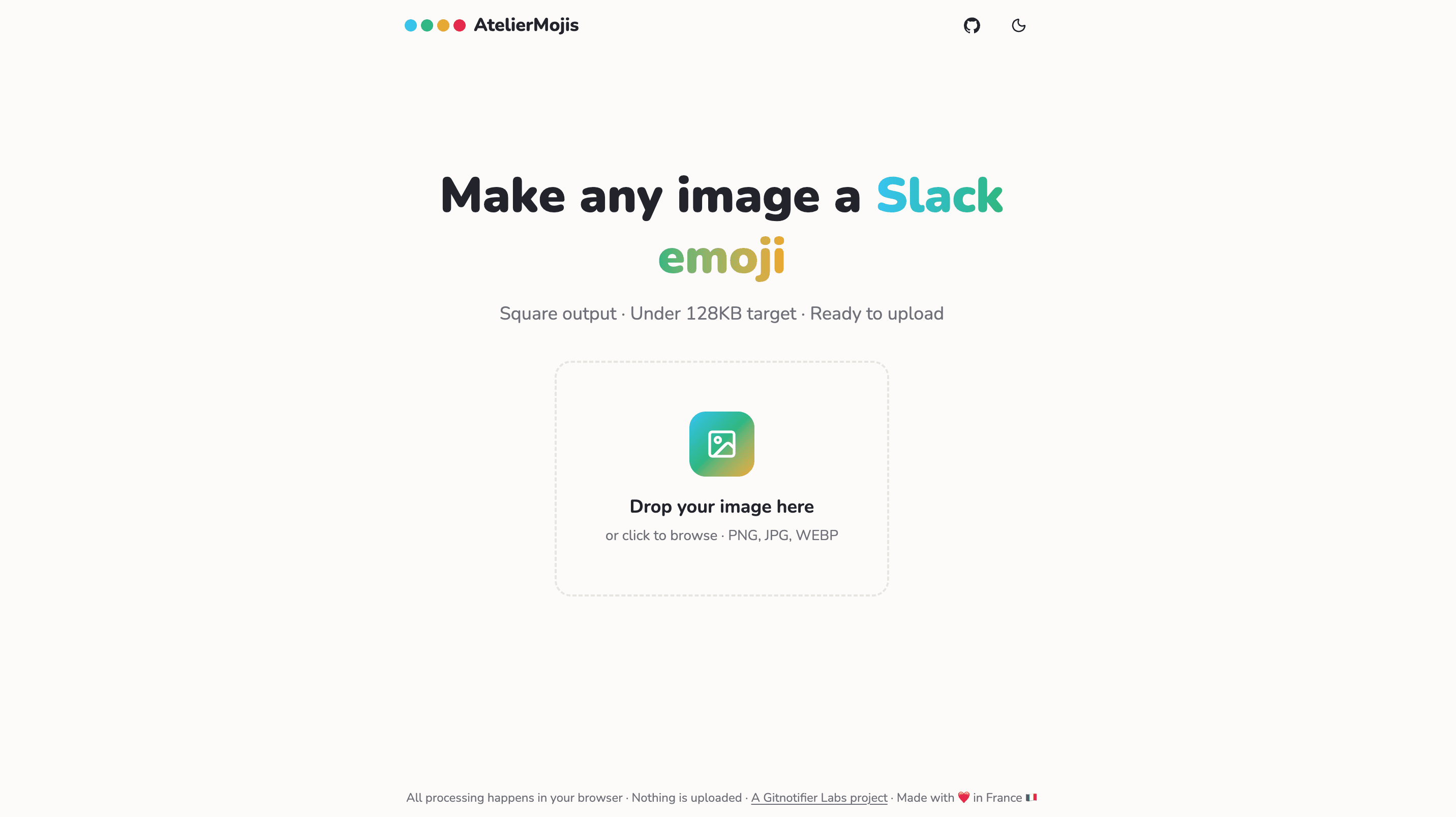
Custom emoji are how good teams react fast. A single :ship-it: or :party-parrot: says more than a sentence, and it does it in half a second. The problem is getting an image into Slack in the first place. Slack wants a square file, 128x128 pixels, under 128KB. Most screenshots and logos are none of those things, so you end up cropping in one tool, resizing in another, and compressing in a third.
So we built a small tool to do all of that in one place, and we open sourced it. Meet AtelierMojis: a free, browser-only Slack emoji maker.
What it does
Drop in any image and AtelierMojis gives you back a Slack-ready emoji. No account, no upload, no waiting.
- Drag and drop a PNG, JPG, or WEBP (or click to browse).
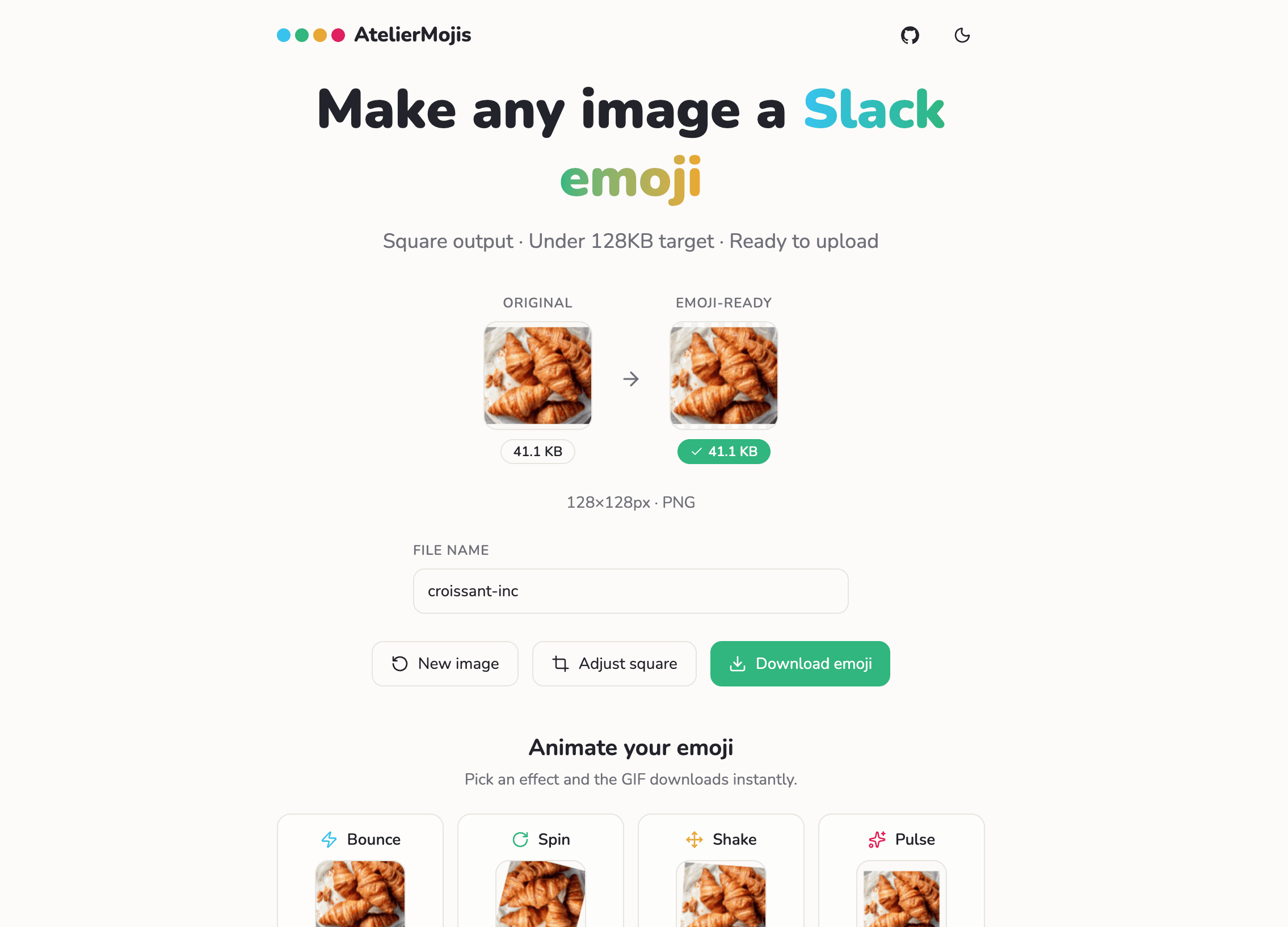
- Automatic square crop and resize to Slack's 128x128 format.
- Compression that targets Slack's 128KB limit, with a clear under-limit badge.
- An adjustable square crop when you want to frame it yourself.
- Name the emoji and download it with one click.
- Coming soon: animated GIF effects like Bounce, Spin, Shake, and Pulse.
Everything stays in your browser
AtelierMojis is local-first. All the processing (crop, resize, compress) happens on your machine using the browser canvas. Nothing is uploaded to a server, so your images never leave your computer.
That matters more than it sounds. Team emoji are often internal jokes, product screenshots, or a photo of a colleague. Keeping that on-device means there is no privacy question to answer, and it works instantly because there is no round trip.
It is open source
AtelierMojis is MIT licensed and the full source lives on GitHub: github.com/gitnotifier-labs/ateliermojis. It is a GitNotifier Labs project, which is where we ship small, useful tools for the teams who already live in Slack and GitHub. Issues and pull requests are welcome.
How we built it with AI agents
The more interesting story is how quickly this came together. AtelierMojis was built almost entirely with AI tooling, and the workflow is worth sharing because it is becoming our default for small projects.
We used a plan-then-build loop with opencode: Claude Opus 4.8 for planning and Sonnet 4.6 for executing. Opus is strong at breaking a fuzzy idea into a concrete, ordered plan, and Sonnet is fast and reliable at turning each step of that plan into working TypeScript and React. Keeping planning and execution on separate models kept the changes small, reviewable, and easy to course-correct. We also leaned on Lovable for the very first UI pass.
Before handing the wheel to the agents, we did a few things by hand to set up a solid foundation:
- Created the starter with a Cloudflare Vite + React assets template, so the app had a clean, modern front end and one-command deploys from day one.
- Switched the project to pnpm for faster, stricter dependency management.
- Installed a set of skills for the agents:
shadcn,git-commit, andmouse-effect. - Wrote a proper
READMEand anAGENTS.mdso any agent that opens the project immediately knows how to build, lint, and commit the right way.
The biggest multiplier was those skills. They live under .agents in the repo, right next to AGENTS.md, and they teach the agents the project's own tooling and conventions instead of letting them guess. Good skills turn a generic model into one that behaves like it has worked in your codebase for months.
Cloudflare is genuinely amazing for shipping apps like this: because AtelierMojis is a static site, connecting the repo through the Cloudflare GitHub app and going live took about a minute, and every push deploys automatically after that. For a small open source tool, that is exactly the kind of zero-friction hosting you want.
Related reading
If you are setting up custom emoji for your team, these might help too:
Make an emoji, then quiet your GitHub noise
Try AtelierMojis the next time you need a Slack emoji. It is free and open source, and nothing you drop into it ever leaves your browser.
And if your team lives in Slack, GitNotifier sends each developer only the GitHub events they need to act on, so review requests and failed checks never get buried in the noise.
Read more
View all articles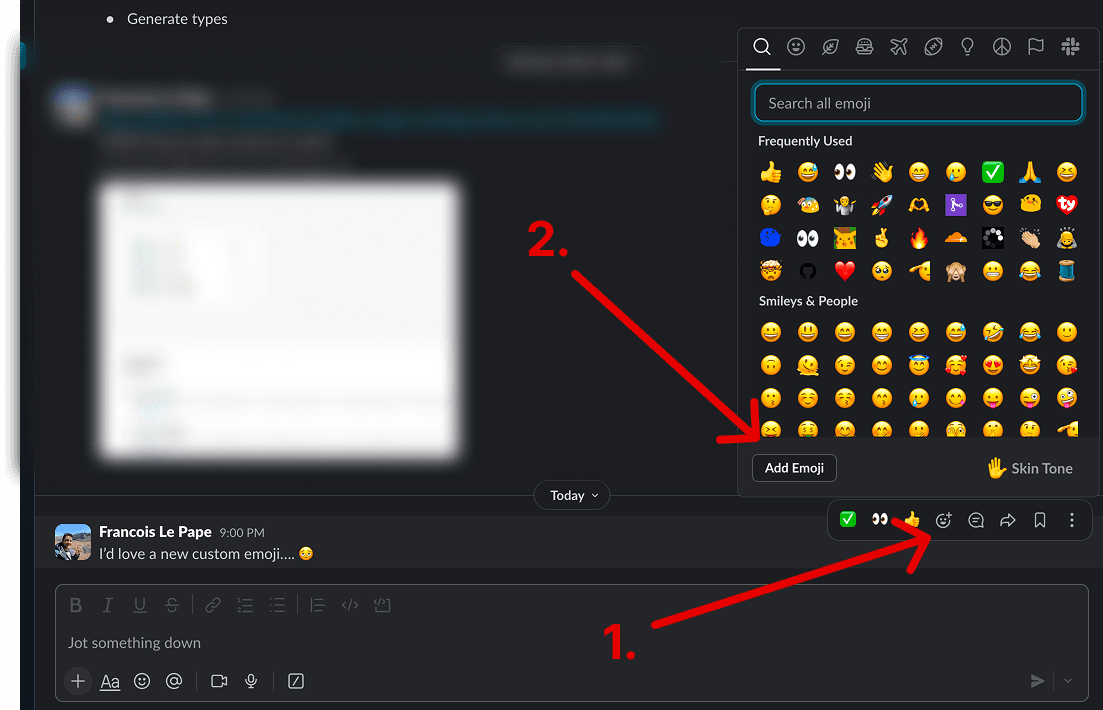
How to Add Custom Emoji in Slack (Step-by-Step)
The exact click path to add custom emoji in Slack on desktop and mobile, upload requirements (size, format, GIF frames), and how to remove one later.
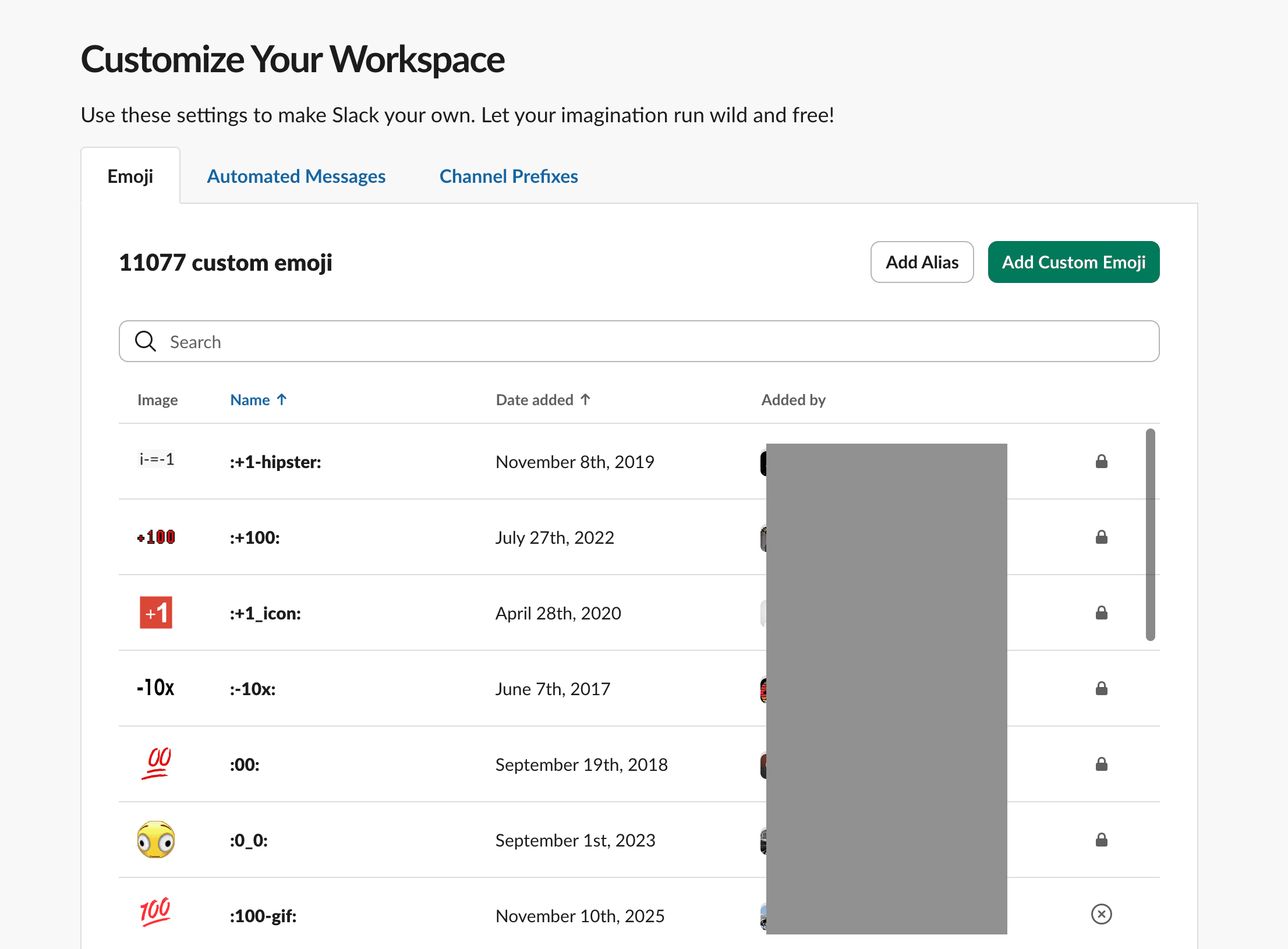
How to See Who Added Custom Emojis in Slack
A walkthrough to open Slack's emoji management page and quickly check which custom emojis exist, who added them, and when they were added.
6 Slack Tips for Efficient Tech Teams in 2026
Six practical Slack tips for tech teams in 2026 to reduce context switching, process notifications faster, and keep communication actionable.