
Stop GitHub and Linear Notifications From Overwhelming Slack
GitHub PRs and Linear issues both dump into Slack until nobody reads it. Here is how to stop GitHub and Linear notifications from overwhelming your team's Slack channel.
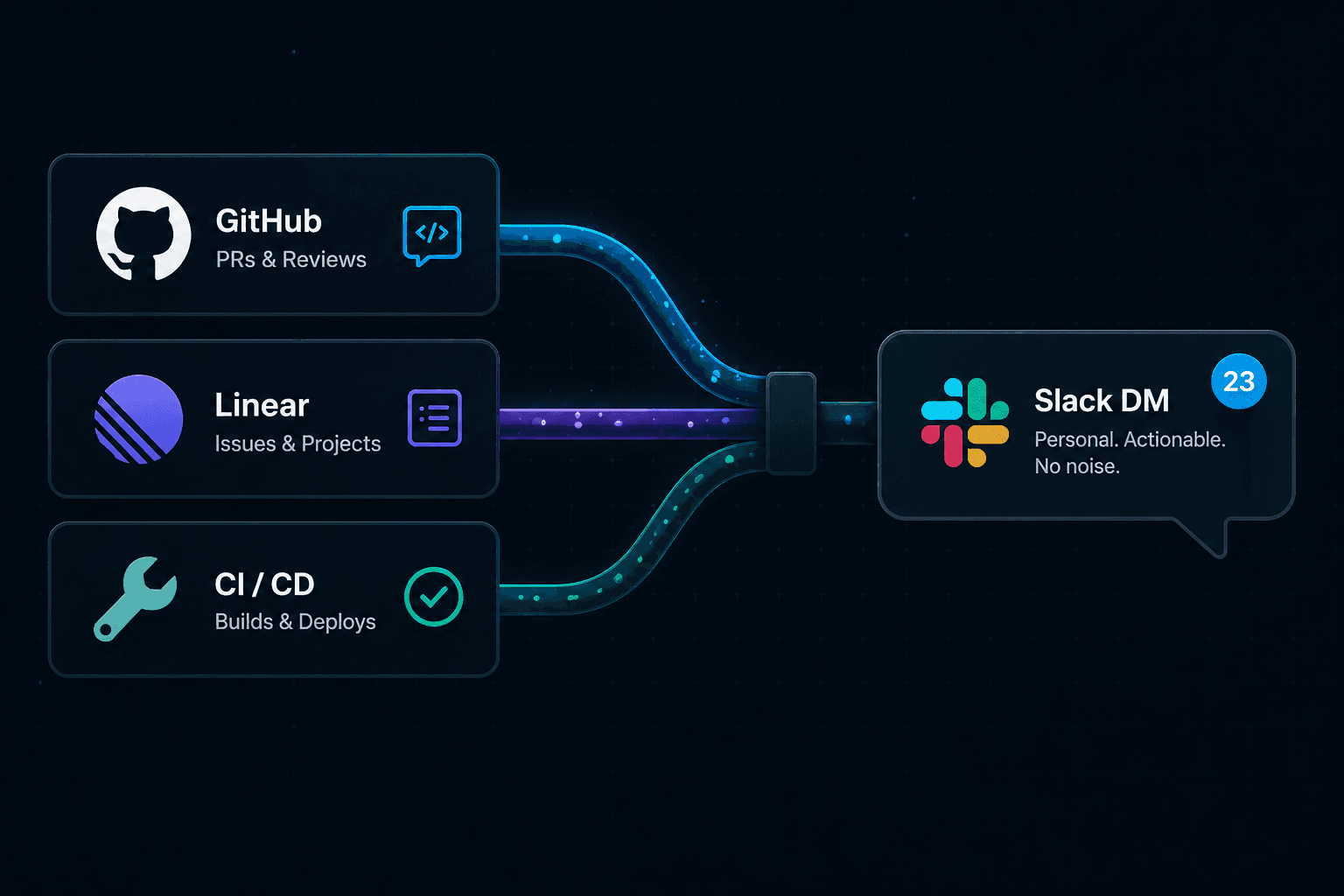
Modern engineering teams run on three or four tools at once. GitHub tracks pull requests and code reviews. Linear or Jira tracks issues and project work. CI pipelines track builds and deployments. And Slack is where all of them send their updates.
The result is a Slack workspace that fires constantly. Review requests, issue transitions, failed checks, comment threads, status updates, and bot pings all land in the same stream. At some point, developers stop reading it carefully. They skim, miss things, and eventually learn to treat the whole channel as background noise.
That is not a focus problem. It is a notification design problem. When the signal-to-noise ratio is too low, humans adapt by filtering everything out, including the alerts that actually matter.
Why three tools feel like ten
Each tool has sensible defaults on its own. GitHub notifies you about review requests and CI results. Linear notifies you about issue assignments and status changes. Your CI provider notifies your team channel when a build fails.
Individually, each of those decisions makes sense. Combined, they create a wall of low-signal pings. The same developer might receive:
- A GitHub notification for every comment on every open PR they are watching.
- A Linear notification for every issue update in a project they are a member of.
- A CI notification in a shared channel for every failing build in the repository.
- Dependabot and bot PRs that generate review-requested events no human asked for.
None of these were meant to overwhelm anyone. But together they produce the same outcome: a developer who has mentally checked out of the notification stream.
A quick taxonomy of notification noise
Before you can cut the noise, it helps to understand what kind of noise you are dealing with. Most notification overload comes from four sources:
- Broadcast noise. Events that go to a shared channel when only one person needs to act. A failed build that only the author should see going to a ten-person Slack channel is broadcast noise.
- Bot noise. Automated PRs from Dependabot, Renovate, or other bots generating review-requested events that clutter the same stream as human pull requests. This is worth filtering separately.
- Role-mismatch noise. Notifications about events where you have no action to take. A comment on a PR you are watching but not reviewing. An issue transition in a project you are tangentially part of.
- Status-churn noise. Rapid state changes on the same item. A PR that goes through three CI runs in an hour, or a Linear issue that transitions between states multiple times before settling.
Most developers deal with all four simultaneously. The fix for each is slightly different, but they share a common pattern: route alerts by role, not by repository or project membership.
Fix the biggest source first: personal GitHub alerts in Slack
For most engineering teams, GitHub is the single largest source of notification noise in Slack. It is also the one where the role-to-event mapping is clearest: review requests should go to reviewers, failed checks should go to authors, and non-actionable events should stay out of the way entirely.
The default approach is to push all GitHub activity into a shared channel. That provides visibility but creates the broadcast noise problem. Every developer in the channel sees every event and must manually figure out whether it requires their attention.
A better pattern is personal routing: each developer gets a Slack DM for the GitHub events they need to act on, and nothing else. Review requests reach the reviewer. Failed checks reach the author. Dependabot and bot PRs are filtered before they ever arrive.
This is what GitHub notifications are still missing for most teams: a routing layer that understands who the alert is actually for. Fixing this alone removes the majority of the noise for most developers. If you are evaluating tools to do this, see the best GitHub Slack apps for PR notifications and how GitHub Slack integration speeds up code reviews.
Where Linear fits (and where it is headed)
Linear notifications have a different character than GitHub ones. A GitHub review request is almost always immediately actionable. A Linear issue transition is often informational: a status changed, a priority was updated, someone left a comment on a ticket you own.
The deeper opportunity with Linear is using it as context for other notifications. If you know a developer is actively working on a specific issue in Linear, you can prioritize the GitHub PR notifications that are linked to that issue. Review requests and failed checks on in-progress work should surface immediately. Everything else can wait.
That kind of cross-tool context routing is on the GitNotifier roadmap. The goal is to move from notification routing (send this event to this person) to notification prioritization (surface this event now because it matches what this person is working on). If you want early access as that ships, you can check the integrations roadmap and join the waitlist.
For now, the practical win is simpler: eliminate the GitHub noise first, and treat Linear notifications as a separate, lower-urgency stream that does not compete with actionable code-review alerts.
In the AI era, cutting notification noise is a throughput problem
AI coding tools are accelerating the rate at which code gets written and pull requests get opened. That is a good thing for output, but it creates more review load. The bottleneck is no longer writing the code. It is getting the right human to see the right event and act on it quickly.
Notification overload directly attacks that bottleneck. If a reviewer misses a review-requested event because it was buried in broadcast noise, the PR waits. If an author does not notice a failed check because the CI channel is too noisy, the fix is delayed. These delays compound across a team and a sprint.
High-signal notifications shorten the gap between an event happening and the right person responding. That is why reducing PR review time with Slack alerts is not just a quality-of-life improvement. It is a throughput lever.
A practical starting point
If you are dealing with notification overload across GitHub, Linear, and Slack today, a realistic approach is:
- Step 1: Stop sending all GitHub activity to a shared Slack channel. Route personal alerts (review requests, failed checks, comment threads you own) to each developer directly.
- Step 2: Filter bot and Dependabot PRs out of your notification stream entirely. They should not compete with human pull requests for attention.
- Step 3: Treat Linear and project-management notifications as a separate, lower-cadence stream. Do not mix them with code-review alerts in the same Slack channel.
- Step 4: Once the GitHub signal is clean, revisit Linear notification settings. You will find it much easier to calibrate when you are not dealing with GitHub noise at the same time.
Most teams find that step 1 alone removes the majority of the overload. The rest is incremental.
Cut the noise without missing what matters
If GitHub, Linear, and CI are all competing for attention in your Slack workspace, the fix is not muting everything. It is routing alerts to the right person at the right time.
GitNotifier sends each developer only the GitHub events they need to act on, directly in Slack, so review requests and failed checks never get buried in broadcast noise again.
Read more
View all articlesHow to Get GitHub Notifications in Slack Not Truncated
GitHub's native Slack integration and tools like Swarmia truncate comments and strip formatting. GitNotifier lets you disable truncation and receive the full comment, converted to native Slack formatting, so you can read and act without clicking through to GitHub.
GitHub Notifications Are Broken for Small Teams (Here's the Fix)
GitHub notifications create fatigue for small teams. Learn how personal Slack alerts help developers catch reviews, failed builds, and deploy issues faster.
GitHub Pull Request Digest for Slack: A Daily PR Recap That Covers Every Repo
Get a daily GitHub pull request digest in Slack: one scheduled recap of every PR waiting on your review across all your repositories, not just five.